Understanding the 419 Error in Laravel: Causes and Solutions
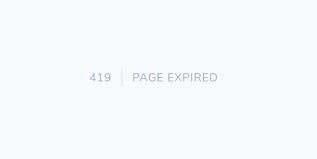
If you've worked with Laravel for a while, you may have encountered the infamous "419 Error", typically displayed as Page Expired. It often catches developers off guard, particularly after form submissions or page reloads. This error can be frustrating, but fortunately, it's not difficult to resolve once you understand its causes and solutions.
In this blog, we'll explore the 419 Error in Laravel, why it happens, and how to fix it.
What is the 419 Error?
The 419 Error is related to CSRF token mismatches. CSRF (Cross-Site Request Forgery) tokens are security tokens used by Laravel to prevent malicious forms from being submitted on your site. These tokens are required for forms that make POST, PUT, PATCH, or DELETE requests, ensuring that the form submission is coming from a trusted source (your application) and not an external site.
When the CSRF token is missing, invalid, or expired, Laravel returns a 419 Page Expired error.
Common Causes of the 419 Error
1. Missing CSRF Token
Laravel automatically includes a CSRF token in forms created using the @csrf Blade directive or by using the csrf_field() helper function. If you forget to include this token in your form, the request will fail, resulting in a 419 error.
Example: Missing CSRF token
<form method="POST" action="/submit">
    <!-- @csrf token missing here -->
    <input type="text" name="name">
    <button type="submit">Submit</button>
</form>
Solution:
Make sure to add the CSRF token to your form using the @csrf directive.
<form method="POST" action="/submit">
    @csrf
    <input type="text" name="name">
    <button type="submit">Submit</button>
</form>
2. CSRF Token Expiration
Laravel's CSRF tokens have an expiration time. If a user takes too long to submit a form (for example, leaving a page open for hours), the token may expire, causing the 419 error when they attempt to submit the form.
Solution:
To extend the session expiration time, you can adjust the session.lifetime configuration in the config/session.php file.
'session' => [
    'lifetime' => 120, // Adjust this value (in minutes)
],
Alternatively, you can enable session timeout warning on your frontend so that users are aware when their session is about to expire.
3. Incorrect Session Handling
If Laravel can't properly store or retrieve the session, it will not be able to validate CSRF tokens, leading to a 419 error. This is often caused by issues with the session storage configuration (like file permissions) or when the session driver is misconfigured.
Solution:
Ensure that your session driver is correctly configured. Laravel supports various session drivers like file, cookie, database, redis, etc. Make sure your .env file has the correct session driver set, and that your storage directory is writable if you're using file-based sessions.
SESSION_DRIVER=file
If you're using the file driver, ensure that the storage/framework/sessions directory has appropriate permissions.
sudo chmod -R 775 storage/framework/sessions
4. CSRF Token Missing in AJAX Requests
If you're making AJAX requests, the CSRF token needs to be included in the request headers. Laravel will reject the request if the CSRF token is not sent, leading to the 419 error.
Solution:
Include the CSRF token in your AJAX request headers. You can either add the token manually to each request or configure it globally.
Manually add CSRF token to an AJAX request:
$.ajaxSetup({
    headers: {
        'X-CSRF-TOKEN': $('meta[name="csrf-token"]').attr('content')
    }
});
Ensure you have a meta tag in your layout file containing the CSRF token:
<meta name="csrf-token" content="{{ csrf_token() }}">
5. Incorrect Referer Header
Sometimes, web servers or browsers can block or modify the Referer header in HTTP requests. Laravel checks this header as part of its CSRF protection. If the header is missing or altered, Laravel may reject the request, resulting in a 419 error.
Solution:
Ensure that the Referer header is passed correctly, and check that nothing (like a browser extension or security setting) is interfering with its transmission. You can also disable the strict referer checking in the VerifyCsrfToken middleware, but this should only be done with careful consideration of the security implications.
protected $except = [
    // URIs that should be exempt from CSRF protection
];
Debugging 419 Errors
If you're having trouble tracking down the cause of a 419 error, Laravel's logging can be a big help. You can check the storage/logs/laravel.log file for error details and stack traces.
tail -f storage/logs/laravel.log
Also, make sure that your web server or load balancer isn't modifying or stripping any headers related to CSRF protection.
Conclusion
The 419 error in Laravel is related to CSRF token mismatches, which are an essential part of Laravel's security mechanism. Understanding why the error occurs—whether due to missing tokens, expired sessions, or incorrect session handling—helps you quickly resolve it.
By ensuring that your forms always include CSRF tokens, keeping session handling properly configured, and adding CSRF tokens to AJAX requests, you can avoid most of the common issues leading to 419 errors.