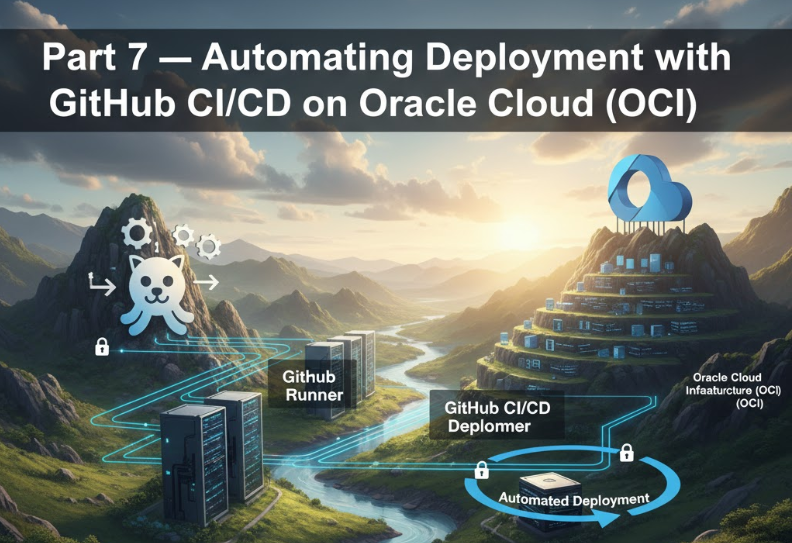
Part 7 — Automating Deployment with GitHub CI/CD on Oracle Cloud (OCI)
In this tutorial, we’ll take your Node.js + React.js deployment to the next level by automating the entire deployment pipeline using GitHub Actions.
Once set up, your application will automatically deploy to Oracle Cloud every time you push updates to the main branch — saving hours of manual work and ensuring smoother, error-free releases.
Why Automate Deployment?
Manual deployment works fine for early development, but as your project grows, it becomes inefficient. Automation helps you:
- 🚀 Deploy faster and more reliably
- 🧠 Avoid human errors
- 🛠 Integrate code testing, building, and deployment in one flow
- 🔁 Ensure consistent environments
- 📦 Deliver updates automatically when new code is pushed
With GitHub Actions, we can connect our OCI compute instance (VM) directly to our GitHub repository to trigger deployments on every push or pull request.
⚙️ Step 1 — Connect Oracle Cloud Instance with GitHub
1. Generate SSH Key on Local Machine
If you don’t already have SSH keys for GitHub Actions:
ssh-keygen -t ed25519 -C "github@oci-deploy"
This generates two files:
- id_ed25519 (private key)
- id_ed25519.pub (public key)
2. Add Public Key to OCI Instance
Copy your .pub key contents and paste it inside your OCI instance authorized keys file:
cat ~/.ssh/id_ed25519.pub >> ~/.ssh/authorized_keys
chmod 600 ~/.ssh/authorized_keys
This allows GitHub Actions to connect securely via SSH to your instance.
3. Add Private Key to GitHub Secrets
Go to your GitHub repository → Settings → Secrets and variables → Actions → New repository secret, and create:
| Secret Name | Value |
|---|---|
OCI_SSH_KEY | (paste contents of id_ed25519) |
OCI_USER | ubuntu or opc (based on your instance) |
OCI_HOST | your-instance-public-ip |
OCI_PATH | /var/www/yourapp |
These secrets will be used by GitHub Actions to authenticate and deploy.
Step 2 — Create GitHub Workflow File
Inside your repository, create the following file:
.github/workflows/deploy.ymlPaste this workflow configuration:
name: Deploy to Oracle Cloud

on:
  push:
    branches:
      - main

jobs:
  deploy:
    runs-on: ubuntu-latest

    steps:
      - name: Checkout Repository
        uses: actions/checkout@v4

      - name: Setup Node.js
        uses: actions/setup-node@v4
        with:
          node-version: 20

      - name: Install and Build React App
        working-directory: ./client
        run: |
          npm install
          npm run build

      - name: Install Backend Dependencies
        working-directory: ./server
        run: |
          npm install

      - name: Deploy to OCI via SSH
        uses: appleboy/ssh-action@v0.1.10
        with:
          host: ${{ secrets.OCI_HOST }}
          username: ${{ secrets.OCI_USER }}
          key: ${{ secrets.OCI_SSH_KEY }}
          script: |
            cd ${{ secrets.OCI_PATH }}
            git pull origin main
            cd server && pm2 restart all
            cd ../client && cp -r build/* /var/www/html/
            echo "✅ Deployment successful!"
Step 3 — Auto-Deploy on Push
Now, whenever you push code to the main branch, GitHub Actions will:
- Fetch the latest code
- Build your React frontend
- Install backend dependencies
- Connect securely to your OCI instance
- Update the live app automatically
You can track the deployment process under GitHub → Actions tab.
🧠 Step 4 — Test Continuous Delivery Setup
After the first push:
- Visit your OCI public IP or domain in a browser.
- Verify that your changes are live.
- Check PM2 logs on OCI to confirm backend restart:
pm2 logs- (Optional) Test a hotfix push — edit a file, commit, and push to main. Within minutes, your site should update automatically.
Step 5 — Best Practices for CI/CD Security
To make your pipeline more secure:
- Use read-only deployment keys where possible
- Limit SSH access to specific IPs in OCI Security Lists
- Enable GitHub branch protection rules
- Use environment variables for sensitive configuration
- Regularly rotate SSH keys
Step 6 — Optional: Add Build Notifications
You can add Slack or email notifications at the end of the workflow using:
- name: Notify on Success
  uses: 8398a7/action-slack@v3
  with:
    status: ${{ job.status }}
    fields: repo,message,commit,author
  env:
    SLACK_WEBHOOK_URL: ${{ secrets.SLACK_WEBHOOK_URL }}
This helps you stay informed whenever your app successfully deploys.
Conclusion
You’ve now achieved fully automated CI/CD deployment of your Node.js + React.js full-stack application on Oracle Cloud Infrastructure (OCI) using GitHub Actions. 🎉
No more manual server updates — your system now auto-builds, tests, and deploys in minutes.
This not only boosts productivity but also ensures version consistency and developer confidence across teams.
Key Takeaways:
- GitHub Actions integrates seamlessly with OCI.
- SSH-based secure deployments ensure safe automation.
- Every push → automatic build + deploy + restart.
- Scalable and maintainable CI/CD for full-stack apps.