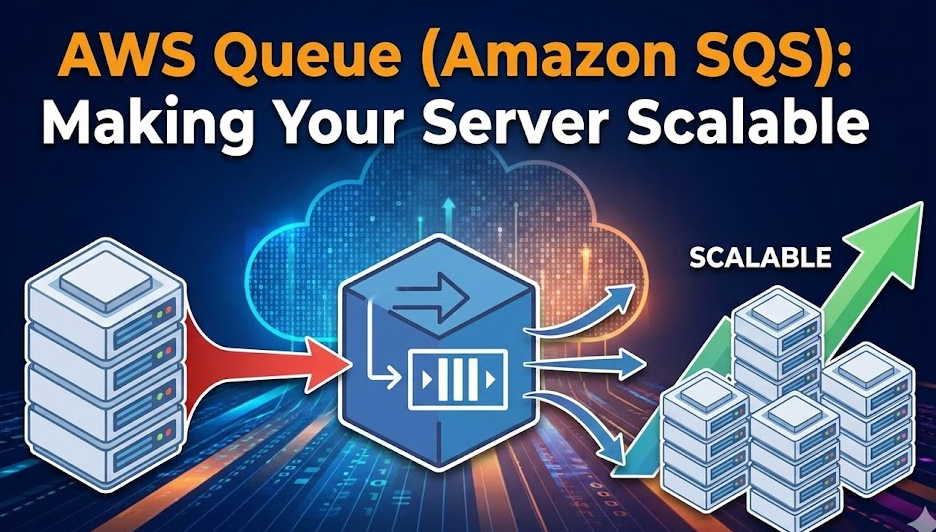
AWS Queue (Amazon SQS): Making Your Server Scalable
In modern cloud-based applications, scalability and reliability are no longer optional—they are essential. As user traffic grows, applications must handle spikes gracefully without crashing or slowing down. One of the most effective tools AWS provides for this purpose is AWS Queue, commonly known as Amazon Simple Queue Service (SQS).
This blog explains what AWS Queue is, where it is used, real-world scenarios, how to use it with Node.js, its advantages and disadvantages, and most importantly, its role in making servers scalable.
What is AWS Queue (Amazon SQS)?
Amazon SQS is a fully managed message queuing service that allows different parts of your application to communicate asynchronously. Instead of services calling each other directly, they send messages to a queue, and consumers process those messages independently.
This decoupling is the foundation of scalable, fault-tolerant systems.
Why Do We Need a Queue?
In traditional synchronous systems:
- One service directly calls another
- If the downstream service is slow or down, the entire system suffers
- High traffic can overload servers
With a queue:
- Requests are stored safely
- Processing happens asynchronously
- Load is smoothed over time
Common Use Cases of AWS Queue
1. Background Job Processing
Tasks that don’t need immediate results:
- Email sending
- SMS/WhatsApp notifications
- PDF or report generation
2. Handling Traffic Spikes
Example:
- E-commerce flash sales
- Ticket booking systems
- Exam or result portals
The queue absorbs sudden traffic while workers process messages at a controlled rate.
3. Microservices Communication
Each service:
- Publishes events to a queue
- Other services consume independently
This avoids tight coupling between services.
4. Data Processing Pipelines
- Log processing
- Image/video processing
- IoT data ingestion
Types of AWS Queues
1. Standard Queue
- High throughput
- At-least-once delivery
- Messages may be delivered more than once
- Best for most use cases
2. FIFO Queue
- Exactly-once processing
- Strict ordering
- Lower throughput than standard queues
- Ideal for financial or order-based systems
How AWS Queue Makes a Server Scalable
Problem Without Queue
- Server receives 10,000 requests
- Each request does heavy processing
- Server CPU and memory spike
- Requests fail or timeout
Solution With Queue
- Server receives requests
- Pushes tasks into SQS
- Responds quickly to users
- Worker servers process tasks from the queue
You can:
- Add more workers when load increases
- Remove workers when load decreases
This is horizontal scaling made simple.
Architecture Flow
- Client sends request
- API server validates request
- Message is pushed to SQS
- Worker (EC2, ECS, Lambda) consumes message
- Task is processed
- Message is deleted from queue
How to Use AWS Queue with Node.js
Step 1: Install AWS SDK
npm install @aws-sdk/client-sqs
Step 2: Configure AWS Credentials
Use environment variables:
export AWS_ACCESS_KEY_ID=your_key
export AWS_SECRET_ACCESS_KEY=your_secret
export AWS_REGION=ap-south-1
Step 3: Send Message to Queue (Producer)
import { SQSClient, SendMessageCommand } from "@aws-sdk/client-sqs";

const client = new SQSClient({ region: "ap-south-1" });

async function sendMessage() {
  const command = new SendMessageCommand({
    QueueUrl: process.env.SQS_QUEUE_URL,
    MessageBody: JSON.stringify({
      userId: 123,
      action: "SEND_EMAIL"
    })
  });

  await client.send(command);
  console.log("Message sent to queue");
}

sendMessage();
Step 4: Receive Message from Queue (Consumer)
import { ReceiveMessageCommand, DeleteMessageCommand } from "@aws-sdk/client-sqs";

async function receiveMessages() {
  const receiveCommand = new ReceiveMessageCommand({
    QueueUrl: process.env.SQS_QUEUE_URL,
    MaxNumberOfMessages: 1,
    WaitTimeSeconds: 10
  });

  const response = await client.send(receiveCommand);

  if (!response.Messages) return;

  for (const message of response.Messages) {
    const data = JSON.parse(message.Body);
    console.log("Processing:", data);

    // process job here

    const deleteCommand = new DeleteMessageCommand({
      QueueUrl: process.env.SQS_QUEUE_URL,
      ReceiptHandle: message.ReceiptHandle
    });

    await client.send(deleteCommand);
  }
}

setInterval(receiveMessages, 5000);
Real-World Example Scenario
Scenario: Email Notification System
Without Queue:
- User registers
- API sends email directly
- Email service slow → user waits
With Queue:
- User registers
- API pushes email job to SQS
- API responds instantly
- Worker sends email asynchronously
Result:
- Faster response
- Better user experience
- Higher reliability
Advantages of AWS Queue
- Fully managed (no server maintenance)
- Highly scalable
- Reliable message storage
- Loose coupling between services
- Easy integration with EC2, Lambda, ECS
- Cost-effective (pay per request)
Disadvantages of AWS Queue
- Message size limit (256 KB)
- Eventual consistency in standard queues
- FIFO queues have lower throughput
- Requires proper error and retry handling
- Debugging async systems is harder
Best Practices
- Use dead-letter queues (DLQ) for failed messages
- Keep messages small
- Make consumers idempotent
- Monitor queue length with CloudWatch
- Auto-scale workers based on queue depth
Conclusion
AWS Queue (Amazon SQS) plays a critical role in building scalable, reliable, and high-performance systems. By decoupling services and handling load asynchronously, it allows your servers to scale horizontally without breaking under pressure.
If you are building systems that expect growth, traffic spikes, or background processing, using a queue is not optional—it’s essential.