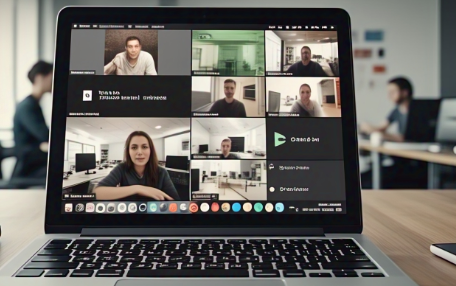
Laravel 11 Real-Time Video Call: Comprehensive Step-by-Step Guide Using WebRTC and Reverb
As real-time capabilities become increasingly vital in modern web applications, especially in sectors like telemedicine, e-learning, online support, and collaborative workspaces, the need for robust and scalable video calling features is more essential than ever. With the release of Laravel 11, developers now have native access to Reverb, Laravel’s built-in WebSocket server, which significantly simplifies the development of real-time apps. When paired with WebRTC, Laravel 11 becomes a strong foundation for building secure, efficient, and fully functional real-time video calling systems.
In this detailed and carefully researched blog, we’ll guide you through building a peer-to-peer real-time video calling system using Laravel 11, Laravel Reverb, Laravel Echo, and WebRTC. Each step is outlined with clarity to ensure seamless implementation and understanding.
Why Choose Laravel 11 and Reverb for Video Calling Applications?
- Built-In WebSocket Server: Laravel Reverb is now integrated natively, removing the need to rely on third-party tools like Pusher or Laravel Echo Server.
- First-Party Broadcasting: Broadcast events are supported out of the box, which streamlines communication and reduces setup complexity.
- Simplified Peer Communication: WebRTC handles direct peer-to-peer media exchange, making video and audio call quality faster and more responsive.
- Security Features: Utilize Laravel's authentication, authorization, and middleware capabilities to secure calls and user data.
- Scalability: Easily scale your app using queues, broadcasting, and real-time communication with minimal external dependencies.
Prerequisites to Get Started
To ensure a successful implementation, make sure the following tools and technologies are installed and configured:
- Laravel 11 (latest stable version)
- Laravel Sail or custom PHP environment (e.g., LAMP/LEMP stack)
- Node.js and npm
- Basic understanding of JavaScript and WebRTC architecture
- SSL certificate for secure WebRTC signaling (especially in production)
- Web browser support for WebRTC (Chrome, Firefox, etc.)
🛠️ Step-by-Step Guide to Build Laravel 11 Video Call Feature
Step 1: Create a New Laravel 11 Project
Use the Laravel CLI or Composer to scaffold your project.
laravel new video-call-app
cd video-call-app
Or via Composer:
composer create-project laravel/laravel:^11.0 video-call-app
Step 2: Install Authentication with Breeze or Jetstream
Install Laravel Breeze for quick scaffolding:
composer require laravel/breeze --dev
php artisan breeze:install
npm install && npm run dev
php artisan migrate
Authentication helps manage user sessions for call initiation and authorization.
Step 3: Enable Broadcasting Using Laravel Reverb
Set the broadcast driver to Reverb:
BROADCAST_DRIVER=reverb
Then publish the necessary Reverb configuration files:
php artisan reverb:publish
Step 4: Start the Laravel Reverb WebSocket Server
To run Reverb for broadcasting:
php artisan reverb:start
Ensure port 6001 is available and accessible on your local or production environment.
Step 5: Configure Frontend with Laravel Echo and WebRTC Libraries
Install required NPM dependencies:
npm install laravel-echo pusher-js
Create a Vue.js or React component (or use plain JavaScript) to manage the video call UI and WebRTC signaling.
Step 6: Define Laravel Events for Signaling Data
Generate a broadcastable event:
php artisan make:event VideoSignalReceived
Update VideoSignalReceived.php:
use Illuminate\Broadcasting\PrivateChannel;
use Illuminate\Contracts\Broadcasting\ShouldBroadcast;

class VideoSignalReceived implements ShouldBroadcast
{
    public $signal;
    public $userId;

    public function __construct($signal, $userId)
    {
        $this->signal = $signal;
        $this->userId = $userId;
    }

    public function broadcastOn()
    {
        return new PrivateChannel('video-call.' . $this->userId);
    }
}
Step 7: Implement Frontend Logic Using WebRTC
In your JS component:
- Access webcam using
navigator.mediaDevices.getUserMedia() - Create signaling flow (SDP offer/answer + ICE candidates)
- Use
RTCPeerConnectionfor media negotiation - Exchange signaling data using Laravel Echo over Reverb
Echo.private('video-call.' + userId)
    .listen('VideoSignalReceived', (e) => {
        // Process WebRTC signaling here
    });
Step 8: Build Video Calling UI and Controls
Use minimal HTML to show local and remote streams:
<video id="localVideo" autoplay muted></video>
<video id="remoteVideo" autoplay></video>
<button onclick="startCall()">Start Call</button>
Add JS logic to handle stream events, button clicks, and signaling workflow.
Step 9: Secure Broadcast Channels Using Middleware
Use Laravel’s broadcasting routes to authorize private channels:
Edit routes/channels.php:
Broadcast::channel('video-call.{userId}', function ($user, $userId) {
    return (int) $user->id === (int) $userId;
});
Only authenticated users should be able to listen to events meant for them.
Step 10: Test Across Devices or Tabs
- Run Laravel server (
php artisan serveor Laravel Sail) - Start Reverb (
php artisan reverb:start) - Open two browser tabs or devices and authenticate users
- Initiate a call and confirm that the video stream is transmitted in real time
🔒 Optional Enhancements for Production Use
- Call Recording: Use the MediaRecorder API to record streams and upload to server
- TURN/STUN Servers: Integrate ICE servers for NAT traversal in complex network setups
- Call Notifications: Add browser push or email notifications for incoming calls
- Call History Logs: Track and store call durations, participants, and statuses using Eloquent models
- UI Enhancements: Add participant indicators, mute/unmute, screen sharing, etc.
Conclusion
With the power of Laravel 11’s native WebSocket support through Reverb and the real-time capabilities of WebRTC, developers now have everything they need to implement a modern, scalable, and secure video calling feature. This setup eliminates the need for costly third-party services and puts full control in your hands—from signaling and streaming to authentication and UI control.
Whether you're building a healthcare app, virtual classroom, or internal communication tool, Laravel 11 provides all the flexibility and power required for real-time peer communication. Start building your Laravel-powered video calling solution today!