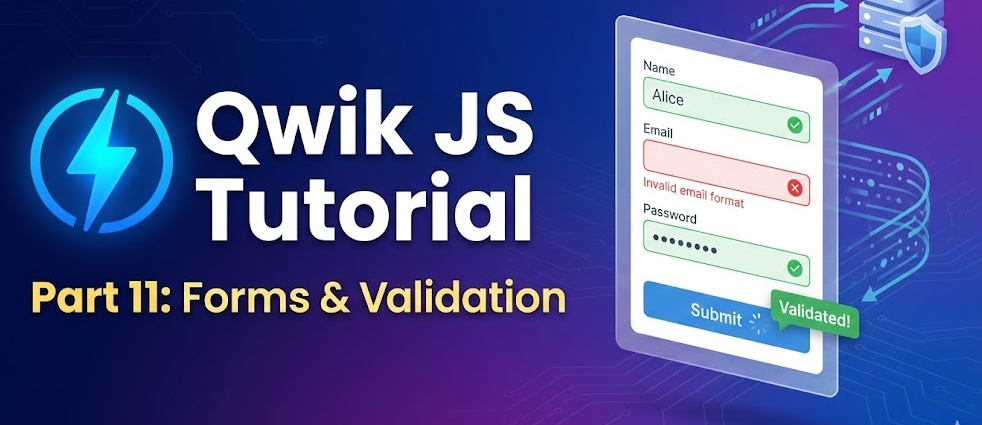
Qwik JS Tutorial – Part 11: Forms and Validation
Introduction
Forms are a fundamental part of modern web applications. Whether you are building a contact page, authentication system, checkout process, or admin dashboard, handling user input correctly is critical for usability, performance, and security.
In this part of the Qwik JS tutorial series, we will explore how forms work in Qwik, how to manage form state, and how to implement both client-side and server-side validation. The goal of this guide is to provide a practical, accurate, and scalable understanding of form handling in Qwik applications.
Why Forms Need Special Attention
Forms may look simple, but they involve several important concerns:
- Capturing and managing user input
- Validating data before submission
- Handling errors gracefully
- Preventing invalid or malicious input
- Maintaining performance
In many traditional frameworks, form handling often requires significant client-side JavaScript. Qwik approaches this differently by allowing you to rely on server-first patterns while still supporting interactive validation when needed.
Basic Form Structure in Qwik
A basic HTML form works in Qwik just like standard HTML. Qwik does not replace native browser form behavior. This means you can build forms that work even without heavy client-side logic.
Example structure:
<form method="post">
  <input type="text" name="username" />
  <input type="email" name="email" />
  <button type="submit">Submit</button>
</form>
By default, this form submits data using standard browser behavior. Qwik enhances this with server actions and progressive enhancement.
Using Qwik City for Form Handling
When using Qwik City (the routing and server integration layer for Qwik), forms can be connected to server-side actions.
Server actions allow you to:
- Receive form data on the server
- Validate input securely
- Return structured responses
- Handle errors cleanly
This approach reduces unnecessary client-side JavaScript and improves reliability.
Creating a Server Action for Form Submission
A server action processes submitted data securely on the server.
Example concept:
- User fills out form
- Form submits to server
- Server validates input
- Server returns response (success or error)
Because validation runs on the server, it cannot be bypassed by disabling JavaScript.
Accessing Form Data
When a form is submitted, the server receives the data using the standard request object. You can extract values and validate them.
Typical validation checks include:
- Required fields
- Email format
- Minimum or maximum length
- Numeric constraints
- Custom business rules
It is important to always validate on the server, even if client-side validation exists.
Client-Side Validation in Qwik
While server validation is essential, client-side validation improves user experience by providing instant feedback.
You can use signals in Qwik to track input values and display validation messages dynamically.
Example concept using signals:
const email = useSignal('');
const error = useSignal('');

if (!email.value.includes('@')) {
  error.value = 'Invalid email address';
}
This allows real-time validation without large JavaScript bundles.
Combining Client and Server Validation
A recommended approach is:
- Perform lightweight validation in the browser for UX
- Perform full validation on the server for security
- Return structured error messages
- Display those errors in the UI
This ensures:
- Better user experience
- Data integrity
- Protection against bypass attempts
Handling Validation Errors
When validation fails, the server should return clear and structured error messages.
Example structure:
- Field-specific errors
- General form error
- Success message
In Qwik, you can conditionally render error messages based on returned action data.
{action.value?.fieldErrors?.email && (
  <p>{action.value.fieldErrors.email}</p>
)}
This keeps the UI reactive and clean.
Security Best Practices for Forms
Security is one of the most important aspects of form handling.
1. Always Validate on the Server
Client-side validation alone is not secure.
2. Sanitize User Input
Prevent injection attacks by sanitizing and validating all input.
3. Use HTTPS
Ensure data is transmitted securely.
4. Protect Against CSRF
Use proper CSRF protection mechanisms when handling authenticated forms.
5. Limit Input Length
Prevent abuse by restricting input sizes.
Handling Async Form Submissions
Qwik supports progressive enhancement. Forms can work traditionally or enhance behavior using JavaScript.
You can:
- Prevent default submission
- Trigger asynchronous actions
- Show loading indicators
- Update UI without full page reload
Because Qwik loads JavaScript lazily, only necessary code executes when interaction occurs.
Managing Complex Forms
For larger forms such as:
- Multi-step forms
- Checkout flows
- Profile management systems
You may need:
- Shared state
- Step validation
- Conditional rendering
- Persistent form data
In such cases, useStore can help manage grouped form state.
Example: Contact Form Flow
A typical contact form workflow in Qwik might look like this:
- User enters name, email, message
- Client-side validation checks empty fields
- Form submits to server action
- Server validates data
- Server stores or processes data
- Success or error message returned
- UI updates accordingly
This pattern keeps logic structured and maintainable.
Performance Considerations
Form performance is often overlooked.
Qwik’s architecture helps by:
- Avoiding large hydration costs
- Loading event handlers only when needed
- Reducing initial JavaScript execution
However, developers should still:
- Avoid unnecessary re-renders
- Keep validation logic efficient
- Avoid large third-party form libraries unless necessary
Common Mistakes to Avoid
- Relying only on client-side validation
- Returning unclear error messages
- Not handling loading states
- Ignoring accessibility (labels, aria attributes)
- Overcomplicating simple forms
Keeping forms simple and structured improves maintainability.
Accessibility Considerations
Accessible forms improve usability for all users.
Best practices:
- Use proper labels
- Associate labels with inputs
- Provide descriptive error messages
- Ensure keyboard navigation works
- Use semantic HTML elements
Accessibility should not be treated as optional.
Summary
In this part of the Qwik JS tutorial series, we explored:
- How forms work in Qwik
- Using server actions for secure submissions
- Client-side validation using signals
- Combining server and client validation
- Security best practices
- Performance and accessibility considerations
Forms are a critical part of web applications. With Qwik’s server-first architecture and resumable model, you can build forms that are secure, performant, and scalable.